Türkçe
  English
  فارسی
فارسی  Русский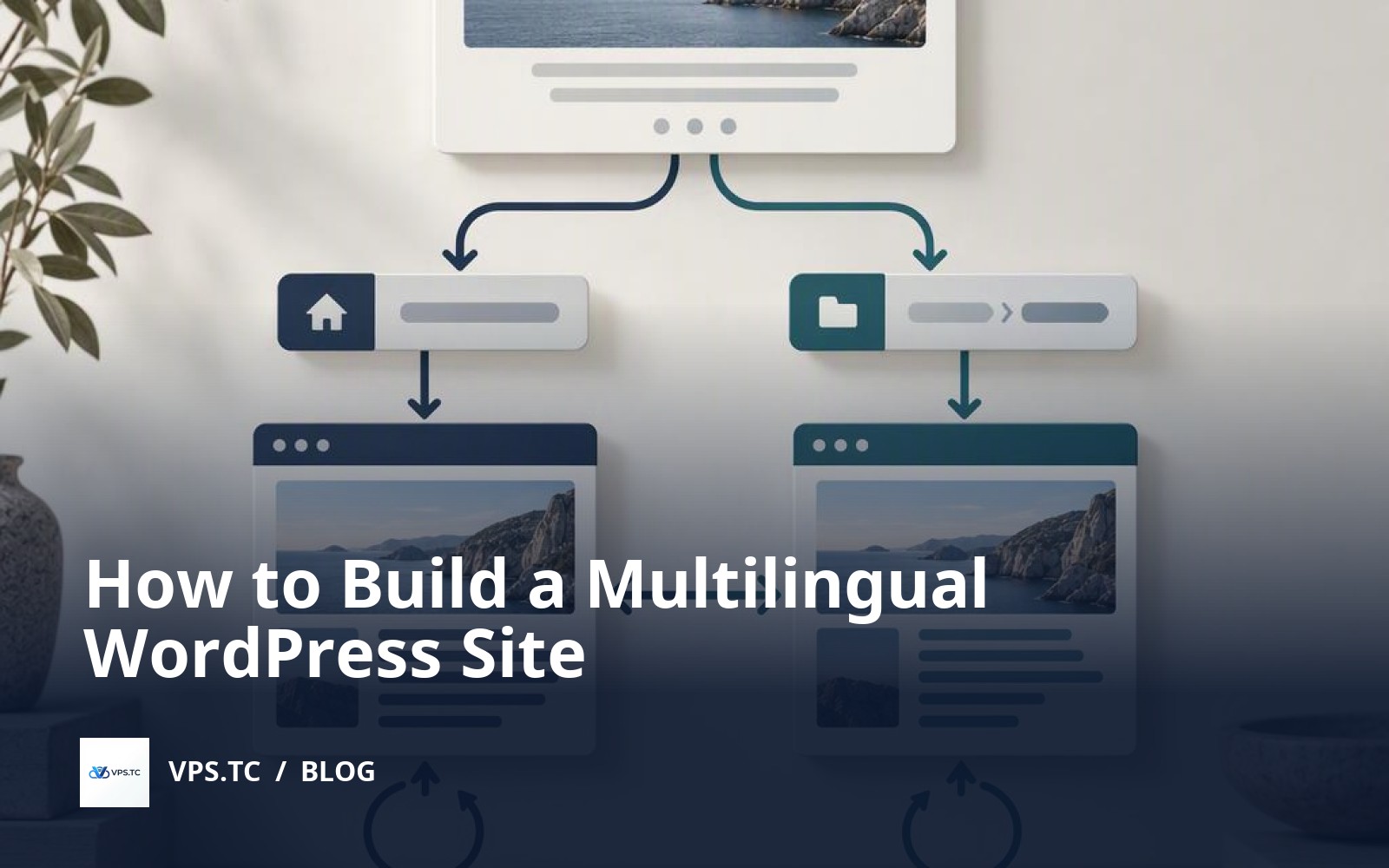
 Defne
Defne Quick Summary – Multilingual WordPress Site
You can publish English pages under /en/ without changing existing Turkish URLs. This hypothetical staging scenario uses one WordPress installation and Polylang; translated content is prepared separately.
- Recovery Comes First — Back up the database and files together, verify restoration in a separate environment, and restrict staging access.
- Workflow Fit — Compare Polylang, WPML, and TranslatePress against editorial needs, compatibility, licensing, and data portability.
- Stable Language URLs — Keep Turkish at the root, hide the default language code, and publish English content under /en/.
- Linked Translation Pairs — Link pages as translations of each other, then check menus, forms, and theme strings separately.
- Separate SEO Roles — Use hreflang to identify language alternatives and give each language page a canonical pointing to its own URL.
- Publishing Approval Checks — Do not publish content until URL, redirect, language switcher, and indexing checks pass in both languages.
You can publish English content without changing your existing Turkish page URLs. To build a multilingual WordPress site, prepare a backed-up staging copy, choose a language plugin, and link translation pairs. Keep Turkish at the root and English under /en/; before launch, verify menus, the language switcher, reciprocal hreflang references, and each page's self-referencing canonical.
Table of Contents
- Protect the Existing Site Before Adding a Second Language
- Polylang, WPML or TranslatePress: What Determines the Choice?
- Turkish at the Root, English Under /en/
- Translation Goes Beyond the Post Body
- hreflang and Canonical Serve Different Purposes
- Test Both Languages Before Publishing
- How Do Translation Pairs Stay Consistent as Content Grows?
- Test Both Languages Before Publishing
- Frequently Asked Questions
- Sources
Protect the Existing Site Before Adding a Second Language
A multilingual WordPress site need not break existing Turkish URLs. Keep https://example.com/hakkimizda/; publish English at https://example.com/en/about/. Turkish stays default, its URL language code hidden. I would start with an inventory.
This hypothetical staging environment uses Ubuntu Server 24.04 LTS, Nginx 1.24, PHP 8.3-FPM, MariaDB 10.11, WordPress 6.8.3, WP-CLI 2.12 and Polylang 3.7 series. These are reference versions, not necessarily current releases. Verify security updates and compatibility against official sources; keep verified patch versions consistent. The allocated 2 vCPU, 4 GB RAM and 40 GB disk guarantee no performance level.
For this single-site, classic-theme installation, inventory page and post URLs, menu locations, form fields, validation messages, email notifications and theme strings. Record owners and translation status. Body translations alone are insufficient: English forms can still return Turkish errors.
Protect staging with Nginx HTTP Basic Authentication or a VPN over valid HTTPS. Enable WordPress’s search-engine discouragement setting, too. That is not access control. Verify unauthenticated access fails; block email to real recipients.
WordPress’s backup documentation recommends saving database and files together for complete restoration. Here, sudo-capable deploy has suitable file ownership; WP-CLI runs without root. Check free space; pause edits, uploads and scheduled writes. --single-transaction alone cannot synchronize database and files.
(
set -eu
umask 077
sudo install -d -m 700 -o deploy -g "$(id -gn)" /srv/backups/example.com
backup=$(mktemp -d /srv/backups/example.com/pre-language.XXXXXXXX)
cd /var/www/example.com/public
wp db export "$backup/database.sql" --single-transaction
tar -czf "$backup/files.tar.gz" -C /var/www/example.com public
cd "$backup"
sha256sum database.sql files.tar.gz > SHA256SUMS
sha256sum -c SHA256SUMS
tar -tzf files.tar.gz > /dev/null
printf 'Yedek dizini: %s\n' "$backup"
)
This writes a SQL dump and file archive into a unique, restricted directory outside the web root. Expect two checksum OK results, silent archive listing and the backup path printed with a Turkish label. These checks do not prove restoration. Save /etc/nginx/sites-available/example.com and necessary service settings separately.
A VPS snapshot offers quick rollback, but a same-infrastructure copy is not an independent backup. Transfer the backup to separate storage. Restore files into an isolated environment and SQL into a separate database; verify administrator login, media and existing Turkish URLs before enabling English.
Caution
WordPress's setting that asks search engines not to index a site does not prevent access to staging. Protect the copy with authentication or network access restrictions; separately verify the status of those protections and noindex settings on the live site.
Polylang, WPML or TranslatePress: What Determines the Choice?
A plugin cannot decide who updates your English pages. Start there. An editor-led multilingual WordPress site needs a different workflow from an automatically translated catalog: decide who translates, approves and maintains content before choosing.
Polylang suits editors managing languages as separate, linked WordPress content. Its official WordPress.org listing includes multilingual posts, pages, categories, tags and menus for free; content duplication and URL-base translation are listed as Pro features. Giving an English page the slug about is not translating a shared category base. Different page slugs alone do not require Pro.
WPML merits consideration for centralized translation assignments and translator roles. TranslatePress focuses on visual translation through the visitor-facing page. Separate content records versus translated displayed strings affect updates and migration, not just editing. Check compatibility with your theme and plugins, including theme changes and dynamically generated text.
The supplied sources exclude official WPML and TranslatePress documentation, so their current package limits remain unverified here. Check vendor documentation for free and paid features, licensed site counts, renewal terms and automatic-translation quotas. Provider accounts, API keys or credits depend on the integration; check which third party receives your text. Separate licensing costs from translation usage charges.
For our hypothetical staging environment-WordPress 6.8.3, a classic theme and the Polylang 3.7 series-I would choose Polylang: separately editing Turkish originals and English counterparts is sufficient. WooCommerce and Multisite remain outside scope. Manual translation requires no external translation API; my choice makes no speed claim. These are reference versions, not a claim that they are current. Verify security patches and compatibility against official sources before installation; keep verified patch versions consistent throughout the examples.
For portability, I would check language relationships, menus and plugin-specific records alongside the text. Do not assume standard WordPress export carries everything: rehearse migration into the destination system. Compare plugins on separate staging copies, never by activating multiple multilingual plugins together on the same site.
Turkish at the Root, English Under /en/
Adding English does not mean moving Turkish URLs. I’d keep them. In this hypothetical staging environment, https://example.com/hakkimizda/ stays; its translation is https://example.com/en/about/. Subdirectories keep your multilingual WordPress site under one domain, certificate and installation. /en/ is a URL prefix, not a physical folder.
Polylang’s WordPress.org listing supports subdirectories, subdomains and separate domains. Subdomains need DNS records, certificate coverage and Nginx server-name mapping. Separate domains add registration and renewal tracking, without requiring separate WordPress installations. Subdirectories reduce that operational work.
Assign languages first
For the WordPress 6.8.3 and Polylang 3.7 series reference baseline, add Turkish and English under Languages, keeping codes tr and en. Make Turkish the default; assign it to existing content. Check posts, pages and categories for missing languages. Link the English page as the Turkish page’s translation, with slug about.
In Polylang’s URL settings, select directory-based languages, hide the default language code and remove the /language/ prefix. Save Settings → Permalinks without changing the Turkish structure. This example uses pretty permalinks; don’t change existing URLs to match it.
Let WordPress handle /en/
Edit-not duplicate-the existing HTTPS server block’s location / rule in /etc/nginx/sites-available/example.com. Keep root /var/www/example.com/public and PHP socket /run/php/php8.3-fpm.sock. This is not a replacement for the full configuration:
location / {
    try_files $uri $uri/ /index.php?$args;
}
Without a matching file or directory, this forwards the request and query parameters to WordPress. Polylang determines the language, not Nginx. As deploy, run:
sudo nginx -t && sudo systemctl reload nginxA successful test should report syntax is ok and test is successful. The && allows reloading only after success; otherwise, fix the reported error first. These messages do not verify page mappings.
Google Search Central documents separate URLs for language versions. I’d leave browser-language detection disabled here: let visitors opening a Turkish URL choose English themselves, rather than forcing a redirect.
Example
In this hypothetical example, https://example.com/hakkimizda/ and https://example.com/en/about/ are two language versions of the same content. /en/ is not a physical directory: Nginx routing sends the request to WordPress, while the plugin manages the language pairing. example.com is a documentation domain, not the address of a working installation.
Translation Goes Beyond the Post Body
English paragraphs beneath “Hakkımızda” and above Turkish buttons? Not finished. WordPress.org’s Polylang listing describes multilingual pages, categories, menus and media information-not automatic translation of every string.
In this hypothetical staging environment, with WordPress 6.8.3 and Polylang 3.7 series, open Hakkımızda under Pages. Confirm its language is Turkish, then click the English add-translation icon. Enter “About”, the slug about, and English content. If About exists, confirm its language is English and select it in the translations field instead of duplicating it. Similar titles do not pair pages.
After publication, expect https://example.com/hakkimizda/ and https://example.com/en/about/, with the default Turkish language code hidden. These documentation addresses are not expected to be reachable; no tested result is claimed. Verify reciprocal translation links in both editors.
Check beyond the body
- Titles and slugs: Check separately for leftover Turkish titles and duplicate-generated numeric suffixes.
- Categories: Create and pair English equivalents, translating names and slugs. Confirm English posts use English categories.
- Menus: In the classic theme, assign each language’s menu to its corresponding theme location. Edit custom-link labels and destinations separately.
- Homepage: Create and link the static homepage’s English counterpart. Check Turkish at the root and English at
/en/. - Image alternative text: With media translation enabled, edit language-specific alt text. Inspect existing image blocks too; media-record changes may not update them.
- Supported theme strings: Translate strings registered with Polylang’s string-translation screen. Hard-coded text needs separate attention, potentially theme translation files or developer changes.
Disable the menu language switcher’s homepage-redirect option: English on Hakkımızda should open About. Here, enable hiding languages without translations. This controls the switcher, not content creation.
I would require human review before publishing machine translations, especially service terms, pricing and buttons. Check destinations alongside labels: an “Apply” button opening a Turkish form from the English page remains a translation gap.
hreflang and Canonical Serve Different Purposes
Pointing an English page’s canonical at Turkish does not establish a translation relationship. Different job. hreflang identifies language alternatives; canonical identifies the preferred URL among identical or very similar pages. Google Search Central’s canonical documentation calls that preference a signal, not a directive. Swapping their roles misrepresents the relationship.
In this hypothetical staging environment, https://example.com/hakkimizda/ and https://example.com/en/about/ should each reference themselves as canonical. English should not canonicalize to Turkish: translated main content is not merely another-address duplication. On this multilingual WordPress site, they are language alternatives.
Google’s localized-pages documentation requires self-references and reciprocal alternatives. Turkish’s tr points to itself; en points to English. English lists both too. Nonreciprocal annotations may be ignored. Use full URLs, including protocol and domain.
This hypothetical HTML illustrates expected head output, not tested results or code to add manually. Only the canonical changes:
<!-- https://example.com/hakkimizda/ sayfasının head alanı -->
<link rel="canonical" href="https://example.com/hakkimizda/">
<link rel="alternate" hreflang="tr" href="https://example.com/hakkimizda/">
<link rel="alternate" hreflang="en" href="https://example.com/en/about/">

<!-- https://example.com/en/about/ sayfasının head alanı -->
<link rel="canonical" href="https://example.com/en/about/">
<link rel="alternate" hreflang="tr" href="https://example.com/hakkimizda/">
<link rel="alternate" hreflang="en" href="https://example.com/en/about/">
Keep WordPress locales such as tr_TR and en_US out of these hreflang values. Google uses ISO 639-1 language codes, optionally followed by a hyphen and an ISO 3166-1 Alpha-2 region code. Here, without country targeting, tr and en suffice. Hiding Turkish’s URL code changes nothing.
Polylang’s WordPress.org listing confirms hreflang support. If you use an SEO plugin, I would inspect both page sources for duplicate hreflang tags and multiple canonicals-especially the English canonical’s destination. Automatic generation does not guarantee correct configuration. Fix conflicts through the responsible components’ settings, not extra theme tags.
x-default is optional: Google uses it for a fallback URL when no listed language matches. This example needs none. Google accepts HTML and XML sitemaps as alternative hreflang methods. Verify whether your integration includes sitemap language alternatives; do not assume it does. If you use both methods, check that their page pairings agree.
Caution
Pointing the English page's canonical to the Turkish page is not the same as identifying a language alternative. In this scenario, both pages should use self-referencing canonicals and include themselves and their translated counterparts in the hreflang set. x-default is optional.
Test Both Languages Before Publishing
A Turkish page can look right while its English counterpart redirects elsewhere. Looks aren’t enough. I check HTTP responses, HTML source and browser behavior on a multilingual WordPress site, including logged-out requests. Watch the address bar: a correct title does not prove correct translation pairing.
This hypothetical staging example uses deploy; it has not been tested. No real response is expected from documentation address 192.0.2.10. Allow test connections through staging protection. --resolve targets the IP without changing DNS, preserving the HTTPS hostname and certificate verification.
(
  kontrol_dizini=$(mktemp -d) || exit 1
  trap 'rm -rf -- "$kontrol_dizini"' EXIT

  for yol in /hakkimizda/ /en/about/; do
    printf '\nAdres: https://example.com%s\n' "$yol"
    curl --silent --show-error --location --max-redirs 5 \
      --connect-timeout 10 --max-time 30 \
      --resolve example.com:443:192.0.2.10 \
      --dump-header "$kontrol_dizini/headers" \
      --output "$kontrol_dizini/page.html" \
      --write-out 'HTTP=%{http_code} yonlendirme=%{num_redirects} hedef=%{url_effective}\n' \
      "https://example.com$yol" || continue

    grep -Ei '^(HTTP/|Location:|X-Robots-Tag:)' "$kontrol_dizini/headers"
    tr '\n' ' ' < "$kontrol_dizini/page.html" \
      | grep -oEi '<(link|meta)[^>]*>' \
      | grep -Ei 'canonical|alternate|robots'
  done
)

wp --path=/var/www/example.com/public option get blog_public
Hypothetical expectation: both URLs show HTTP=200, yonlendirme=0 and hedef matching the requested URL. --location follows redirects; dumped headers reveal intermediate statuses and Location values. Investigate unexpected 301 redirect chains. A 401 or 403 warrants checking access protection, not automatically blaming translations.
Google Search Central’s canonical documentation says translated main content is not duplicate merely because it is translated. Each canonical here should reference itself. Google’s localized-pages documentation calls for reciprocal hreflang references, including self-references: both pages should list tr as https://example.com/hakkimizda/ and en as https://example.com/en/about/. Filtering is preliminary; check apparent omissions against page source.
In the browser, verify that the switcher reaches the paired translation, not the homepage. Test both mobile menus and search for known content in each language. Read empty/invalid form warnings and successful-submission confirmations. Nonexistent root and /en/ URLs should return genuine 404 responses with localized messages.
Keep separate staging protected. Remove access restrictions and noindex from the published site; repeat logged-out requests. Expect blog_public to return 1, and verify that neither HTML robots tags nor X-Robots-Tag contains noindex. The setting alone does not prove public accessibility.
No full-page cache exists initially. If you add one, alternate repeated requests between both URLs. Once warm, check that content languages, canonicals and switcher destinations have not crossed over.
Tip
An HTTP 200 response alone does not prove that the correct language is being served. Test the language switcher, mobile menu, and form validation messages in a browser. If you add full-page caching later, check again that Turkish and English URLs do not serve each other's content.
How Do Translation Pairs Stay Consistent as Content Grows?
A changed Turkish price, date or service condition can leave published English content outdated. Links are not enough. In this hypothetical staging environment, I would record each pair’s source modification date, translation owner and latest language approval. Flag English for review whenever Turkish changes; do not assume Polylang handles editorial approval automatically.
Polylang’s WordPress.org description documents language assignment and translation linking. Track missing translations, reviews pending after source changes, and publication-ready content separately. Each week, check new posts, pages and taxonomy terms needing translation against that list. Keep both content IDs and target URLs: similar titles can hide incorrect pairings. A shared spreadsheet suffices; no workflow plugin is required.
Approve each language separately. Turkish approval does not clear English titles, body text, menu links or other visible wording. Keep meaning-changing edits open until the translation owner reviews them. Never fill missing English with Turkish and mark it translated. Record the reviewed source revision rather than carrying previous approval onto changed text.
Evaluate WordPress, classic-theme and Polylang updates separately in the same staging environment. WordPress 6.8.3 and the Polylang 3.7 series remain the reference baseline, not claims of latest releases. Verify security updates and compatibility through official sources beforehand; keep selected patch versions consistent across examples. Recheck editing, translation linking and language switching after each update.
WordPress’s backup documentation explains that full restoration needs both database and files. Before changes, store a consistent backup set under /srv/backups/example.com. I would withhold update approval until restoring both to the same backup point confirms that content and language pairings remain intact.
The publication gate is concrete: https://example.com/hakkimizda/ must pair with https://example.com/en/about/, the language switcher must reach the correct counterpart, and both URLs must serve expected content. Google Search Central’s localized-page guidance calls for hreflang links covering the page itself and its other language versions, with reciprocal references. Do not publish new content until its language approval, pairing checks and URL checks are complete.
Test Both Languages Before Publishing
- Back up the database and files from the same recovery point, then restore them together in a separate environment.
- Verify security updates and version compatibility for WordPress, PHP, the theme, and the language plugin using official sources.
- Assign Turkish to existing content; check that Turkish URLs remain unchanged and English pages load under /en/.
- Link translation pairs and check menus, the homepage, image alternative text, and form messages in both languages.
- Verify that each language page has a self-referencing canonical, reciprocal hreflang links, and no conflicting tags.
- Test HTTP statuses, redirect chains, the language switcher, mobile menu, search, and not-found pages.
- Check access restrictions and noindex settings on the live site; require language pairing and URL checks before approving subsequent content for publication.
Start with a single Turkish-English page pair on staging. Do not extend the setup to other content until the language switcher, URL, hreflang, and canonical checks pass.
Frequently Asked Questions
Which plugin should I choose for a multilingual WordPress site?
The choice depends on who prepares translations and how your editors work. Consider Polylang for teams that create separate content in two languages and link it as translation pairs. Compare WPML and TranslatePress on translation workflow, theme compatibility, licensing, and external service dependencies too. Verify free and paid feature boundaries before installation, and do not activate multiple multilingual plugins at once.
Should English pages use /en/ or a subdomain?
For Turkish and English content managed in one WordPress installation, an /en/ subdirectory avoids separate DNS and certificate management. A subdomain or separate domain may suit different operational needs, but neither provides better rankings by itself. In this hypothetical scenario, Turkish stays at the root, preserving existing Turkish URLs.
Does Polylang automatically translate the entire site?
Activating a language plugin does not mean all content and interface text will translate automatically. In this scenario, Turkish and English content is prepared separately and linked as translation pairs. Menus, form messages, image alternative text, and theme strings need separate review. If you use automatic translation, verify support in the relevant version, license, and service integration, then have a person review the text.
How should hreflang and canonical tags work on a multilingual WordPress site?
Each page in a Turkish-English translation pair should identify its own URL as canonical. The hreflang set should include both versions using tr and en, with reciprocal and self-referencing links. Do not copy WordPress locale names directly into hreflang values. Inspect the HTML generated by the language and SEO plugins together; x-default is optional.
Where should the language switcher lead when a page has no translation?
Define the switcher's behavior explicitly and test it with your chosen plugin. Do not link an untranslated page as though a translation exists. You can hide the unavailable language option or provide a navigation path that explains the situation. If you send readers to the other language's homepage, make clear that it is not a translation of the current page. For published translation pairs, the switcher should lead directly to the matching page.
Will adding a second language change existing Turkish URLs?
Existing Turkish URLs can remain unchanged with the right language and permalink settings. First assign Turkish to existing content, make Turkish the default language, and hide its language code from URLs. Test these changes on staging and verify that old addresses still open the same content. If you intentionally change any URLs, plan permanent redirects to the relevant replacement pages rather than sending every old address to the homepage.
Sources
- WordPress.org – Polylang Features and Installation Instructions — wordpress.org
- WordPress Documentation – Database and File Backups — wordpress.org
- Google Search Central – Localized Pages and hreflang — developers.google.com
- Google Search Central – Specifying Canonical URLs — developers.google.com